
Welcome to InsightFinder Docs!
Categories
ARI Mobile
Overview
This user guide provides a comprehensive introduction and operational instructions for the InsightFinder AI mobile application (ARI Mobile). Fully compatible with both iOS and Android platforms, ARI Mobile is designed for data scientists, Site Reliability Engineers (SREs), and enterprise managers, helping users quickly master how to achieve anytime, anywhere digital business monitoring and agile incident response on mobile devices.
Product Positioning
ARI Mobile is an intelligent operational reliability Agent application specifically built by InsightFinder for mobile platforms. Serving as your dedicated mobile AI operations assistant, it provides 7×24 automated anomaly identification, aggregation, and prediction capabilities within a controlled and secure digital environment, fully assisting enterprise teams in improving incident decision-making and emergency response efficiency.
Getting Started: Login and Secure Access
1. Launch the App
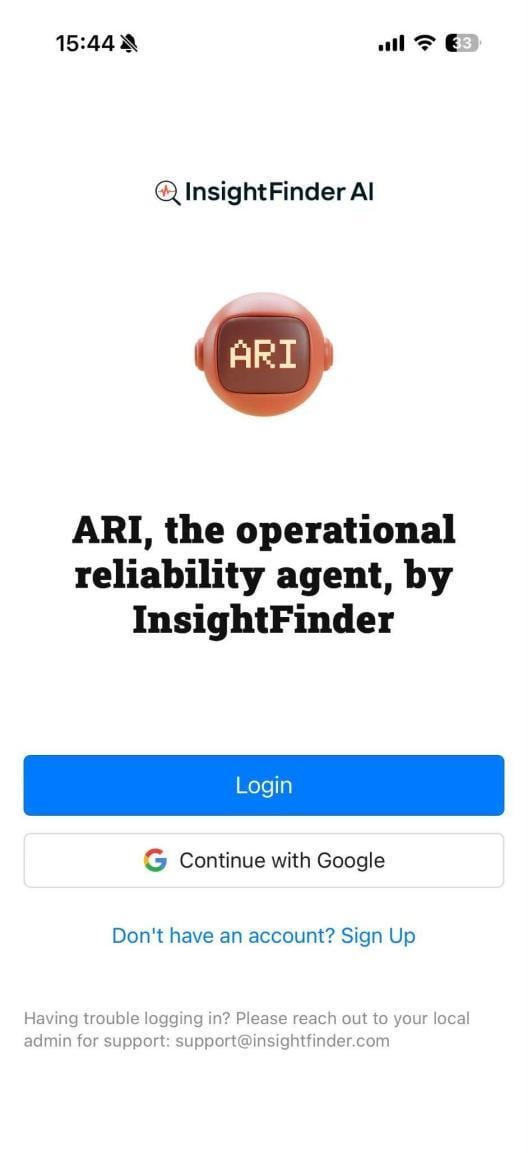
- Open the ARI APP on your iOS or Android device to enter the welcome access interface.
2. Account Login & Single Sign-On (SSO) Configuration
- Standard Login: Click the “Login” button and enter your existing InsightFinder platform credentials to automatically synchronize data from the PC platform.
- Continue with Google (SSO): Click the “Continue with Google” button to achieve secure and convenient Single Sign-On (SSO) and quick registration.
- New User Registration: If you do not have an account yet, click “Don’t have an account? Sign Up” and follow the instructions for quick registration (Please note: Currently, only work emails are supported for registration).
On-the-Go Observability
ARI Mobile condenses full-stack observability into the palm of your hand, providing around-the-clock capabilities for personalized viewing and multidimensional interactive handling of system incidents:
1. Interacting with ARI on Mobile
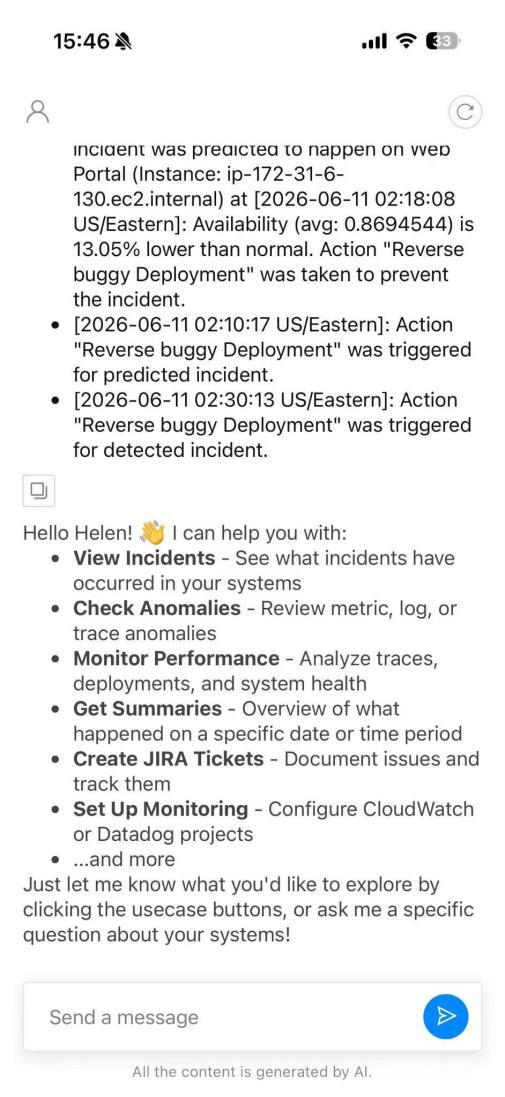
- Using Natural Language: An intelligent dialogue input box (“Send a message”) is built into the bottom of the interface.
- Commands & Inquiries: Instead of memorizing complex operational syntax, you can use everyday natural language to send operational commands, inquire about real-time system status, or request deep summaries of specific failures.
2. Daily Issues Summary
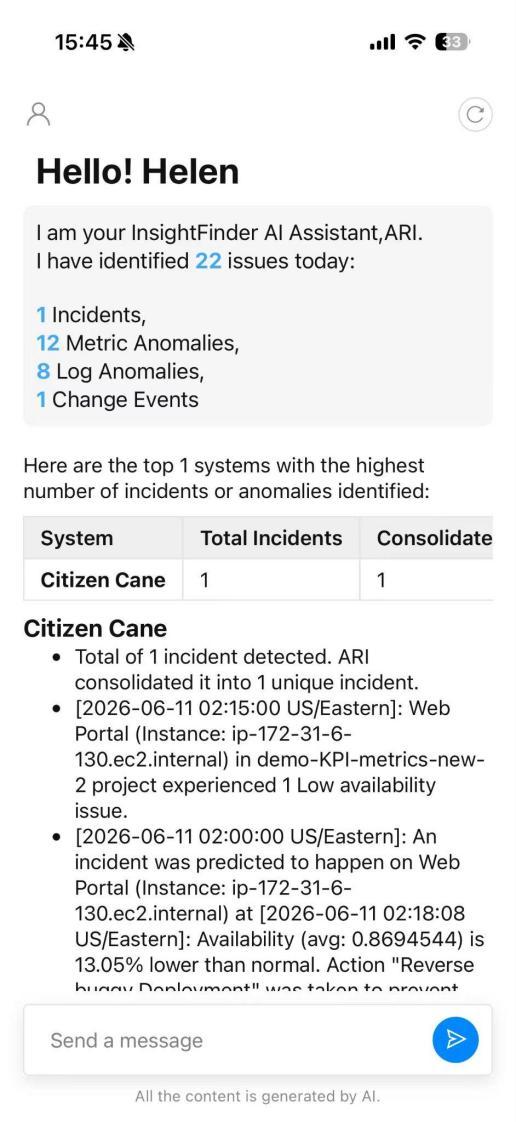
Upon successful login, the ARI assistant will automatically organize the system’s operational status for the day, providing comprehensive granular tracking, rankings, and deep analysis:
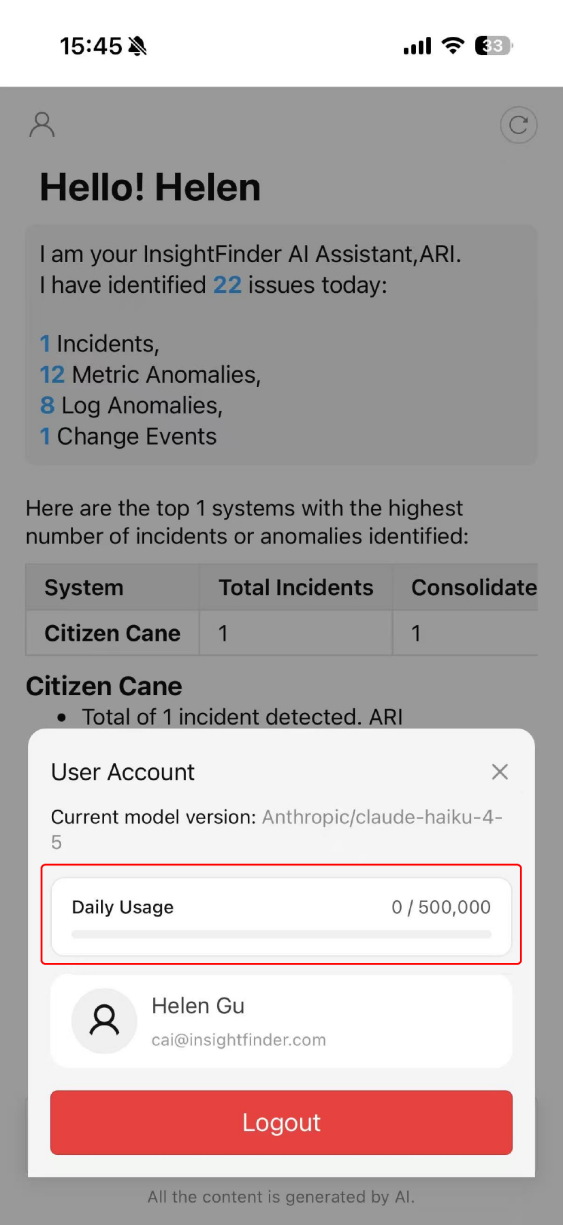
- Classification & Tracking: Automatically streamlines and classifies all identified issues across the system (e.g., 22 issues identified today):
- Incidents
- Metric Anomalies
- Log Anomalies
- Change Events
- Top Systems Ranking:
- Intelligent Ranking: Automatically ranks affected IT systems based on the density of events and anomalies (e.g., the Citizen Cane business system).
- Metrics Display: Clearly displays the total number of incidents and the unique consolidated incident count processed by ARI (Consolidate Counts).
- Root Cause Analysis (RCA) & Prediction:
- Precise RCA: Accurately records the timestamp of the anomaly, the specific affected cloud instance, and project modules to accelerate remediation.
- Intelligent Prediction: Intelligently predicts potential risks, providing early warnings on decreases in system availability and anomaly ratios (e.g., availability is 13.05% lower than normal) along with preventive actions taken.
Mobile System Management and Operations
To ensure a rigorous and real-time mobile experience, the application features high-frequency routine management tools:
- Token Usage Tracking (Cost Control): Inheriting the resource monitoring mechanism of the InsightFinder AI platform’s AI Evaluation, users can check the Token consumption details (e.g., Daily Usage) of interactions at any time. This allows for a straightforward comparison against the total allocated plan budget (Token Limit), assisting enterprises in cost management.
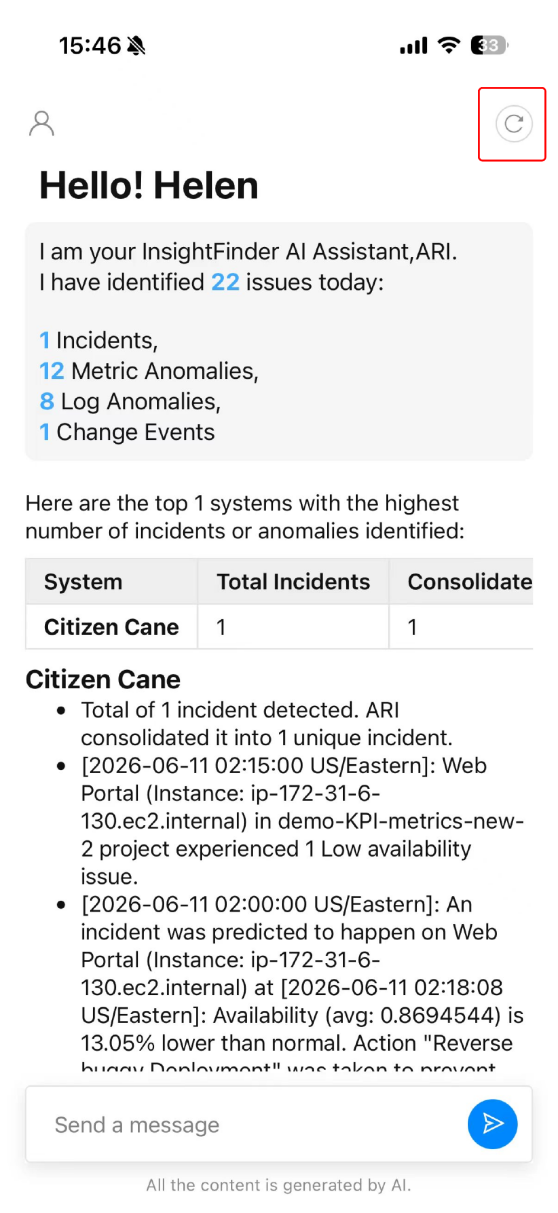
- Real-time Page Refresh: Equipped with a one-click manual refresh button in the upper right corner (and supporting pull-to-refresh) to ensure that event aggregations and AI diagnostic reports are always synchronized in real-time, eliminating information lag.
From the Blog
 Blogs
Blogs 

See how InsightFinder helps your team deliver reliable services across every layer of the stack
Take InsightFinder AI for a no-obligation test drive. We’ll provide you with a detailed report on your outages to uncover what could have been prevented.
