
 Blogs
Blogs 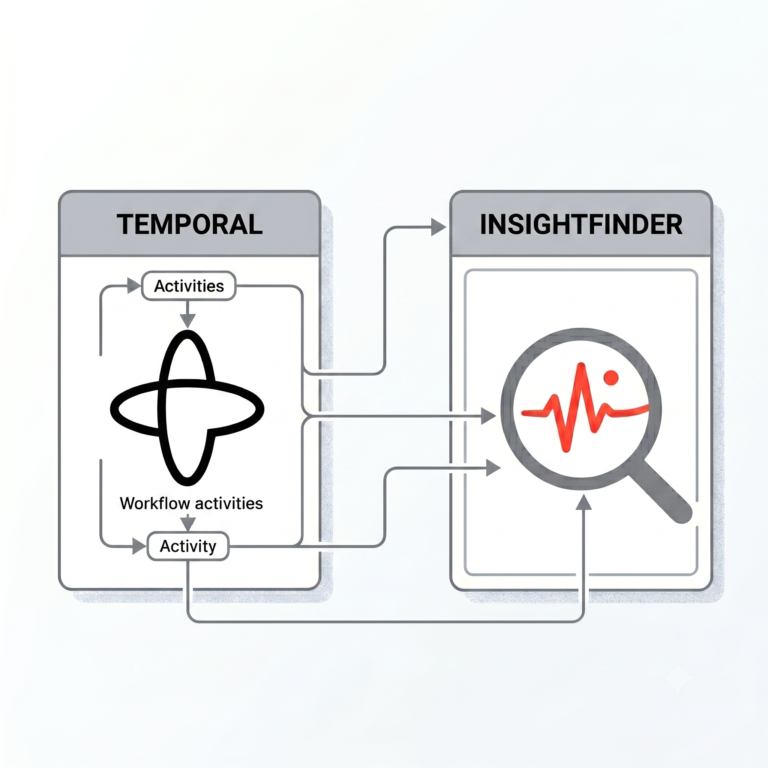
TL;DR: Temporal tracks if your AI workflows run, but it can’t tell you if your LLM outputs are actually good. By pairing them via OpenTelemetry, you automatically capture prompts, responses, and token usage to stop quiet model drift without changing your core workflow logic.
Temporal tells you what your AI agents did. InsightFinder tells you whether it was any good.
Most teams running LLM-based workflows on Temporal have solid visibility into execution — retries, failures, activity history. What they’re missing is a layer that looks at the actual LLM outputs: whether the model reasoned correctly, stayed on task, or started drifting in ways that don’t trigger any workflow error. That’s a different problem, and it requires different tooling. InsightFinder plugs into your existing Temporal setup via OpenTelemetry and gives you prompt/response monitoring, token tracking, and quality analysis without requiring you to rearchitect anything.
| Feature | What Temporal Covers | What InsightFinder Covers |
| Focus | Execution Reliability | AI & Model Reliability |
| Core Metrics | Timeouts, retries, activity completion | Prompts, responses, token drift, quality |
How the integration works
The connection happens through OpenTelemetry. Temporal’s SDK includes a TracingInterceptor that automatically creates spans for workflows and activities, maintains parent-child relationships across Temporal boundaries, and attaches standard attributes like workflow_id, run_id, and activity_type. You wire that interceptor to an OTLP exporter pointed at InsightFinder’s trace server, and your existing workflow execution traces start carrying LLM observability data.
The data flow looks like this:
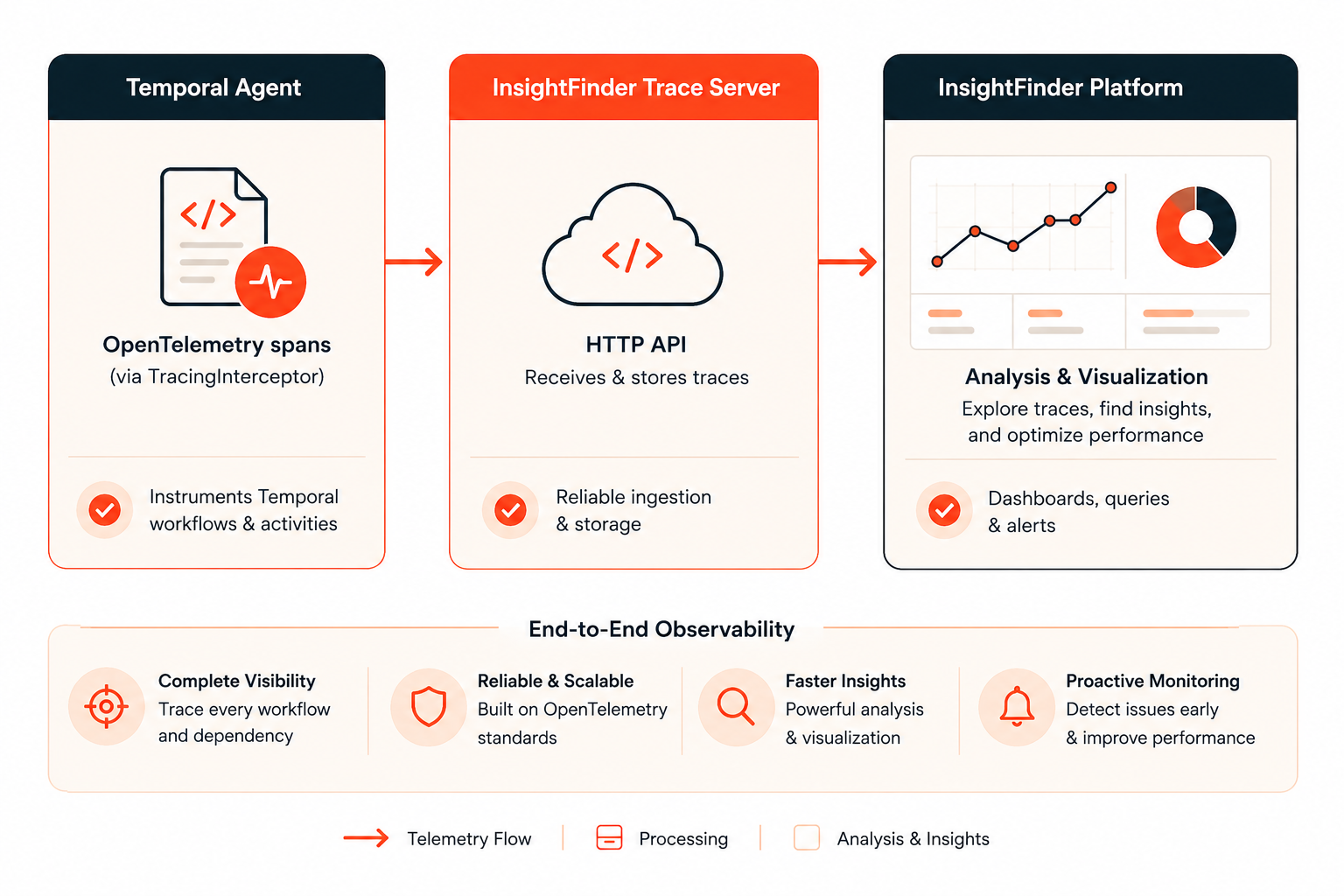
There’s no separate instrumentation pipeline to maintain. The same trace that tells you an activity completed in 340ms also carries the prompt that went in and the response that came out.
Setting it up
Install four packages: temporalio, opentelemetry-api, opentelemetry-sdk, and opentelemetry-exporter-otlp-proto-grpc.
-
Configure the Tracer Provider
Configure the tracer provider. Your InsightFinder credentials go in as gRPC metadata headers on the OTLP exporter:
python

def setup_opentelemetry():

    resource = Resource.create({

        “service.name”: “agent-service-name”,

        “service.version”: “1.0.0”,

    })

    headers = {

        “ifuser”: “”,

        “iflicensekey”: “”,

        “ifproject”: “”,

        “ifsystem”: “”,

    }

    otlp_exporter = OTLPSpanExporter(

        endpoint=os.getenv(“OTEL_EXPORTER_OTLP_ENDPOINT”, “https://-trace.insightfinder.com”),

        headers=headers,

        insecure=False

    )

    provider = TracerProvider(resource=resource)

    provider.add_span_processor(BatchSpanProcessor(otlp_exporter))

    trace.set_tracer_provider(provider)

    return trace.get_tracer(__name__)
-
Connect the Temporal Client
Initialize the Temporal client with the interceptor. This is what activates distributed tracing across your workflows:
python

async def main():

    tracer = setup_opentelemetry()


    client = await Client.connect(

        os.getenv(“TEMPORAL_ADDRESS”, “localhost:7233”),

        interceptors=[TracingInterceptor(tracer)]

    )

    result = await client.execute_workflow(

        YourWorkflow.run,

        “your-input”,

        id=f”workflow-{uuid.uuid4()}”,

        task_queue=”your-task-queue”,

    )
-
Inject LLM Attributes into Activities
Annotate your LLM activities. Inside any activity that calls an LLM, grab the current span and set attributes before and after the call. chat.prompt and chat.response are what InsightFinder uses to extract prompt/response pairs — everything else adds context:
python

@activity.defn

async def your_llm_activity(task: str) -> str:

    current_span = trace.get_current_span()

    user_prompt = f”Your prompt text here: {task}”

    if current_span:

        current_span.set_attribute(“chat.prompt”, user_prompt)

        current_span.set_attribute(“x-session-id”, activity.info().workflow_id)


    response = await your_llm_client.chat.completions.create(

        model=”gpt-4o”,

        messages=[{“role”: “user”, “content”: user_prompt}]

    )

    llm_response = response.choices[0].message.content

    if current_span:

        current_span.set_attribute(“chat.response”, llm_response)

        current_span.set_attribute(“chat.model”, response.model)

        current_span.set_attribute(“chat.prompt_tokens”, response.usage.prompt_tokens)

        current_span.set_attribute(“chat.completion_tokens”, response.usage.completion_tokens)

        current_span.set_attribute(“chat.total_tokens”, response.usage.total_tokens)

    return llm_response
Token usage attributes give you cost tracking. x-username and x-session-id are optional but worth adding if you want to correlate LLM behavior back to specific users or workflow runs.
What you’re looking at once it’s running
InsightFinder analyzes the prompt/response pairs flowing through your traces. In practice, that means you can track response quality trends over time, catch model drift before it surfaces as a downstream bug, and tie specific LLM behavior to specific workflow executions using the workflow_id Temporal carries through the span hierarchy.
A single annotated activity span ends up looking like this:
workflow-execution

  └── StartWorkflow:YourMainWorkflow

      └── RunActivity:your_llm_activity

            chat.prompt: “Analyze this task…”

            chat.response: “Based on analysis…”

            chat.prompt_tokens: 45

            chat.completion_tokens: 120
That’s a complete audit trail — not just that the activity ran, but what it said.
If you’re already on Temporal, the lift here is smaller than it probably looks. The interceptor handles span creation and propagation. Your changes are localized to the activities where LLM calls happen. Start a free InsightFinder trial to get your first agent connected and start seeing what your models are actually doing inside your workflows.


