
Welcome to InsightFinder AI Observability Docs!
Categories
LLM Fine-Tuning
Introduction: Customize Your LLM with Insight Finder
Generic LLMs often miss your specific needs. Insight Finder’s LLM Fine-Tuning lets you customize models easily—no complex full training required. Our streamlined workflow saves time, reduces repetition, and keeps you in full control of the entire process.
Core Workflow: 4 Simple Steps to Fine-Tune
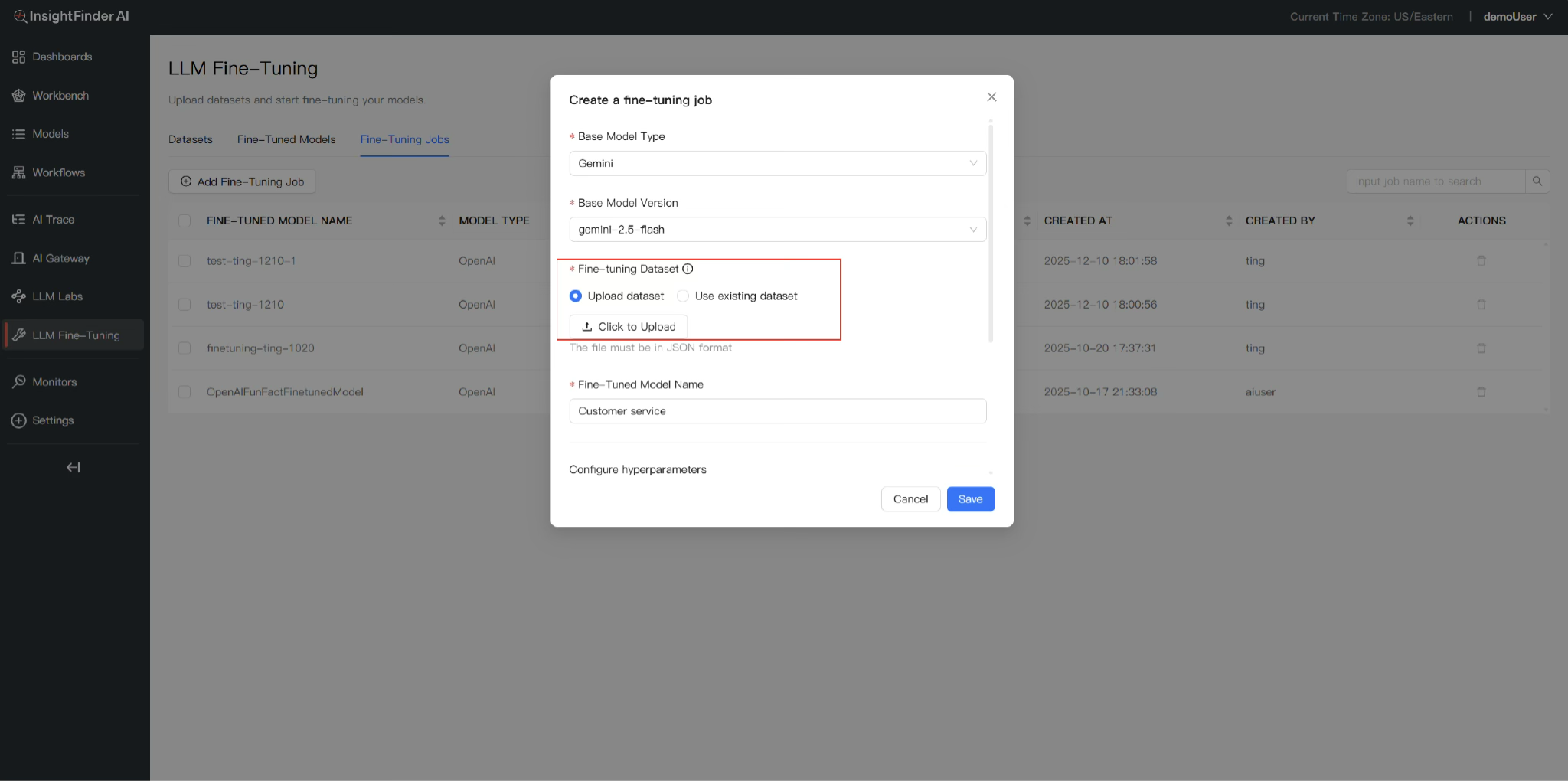
Step 1: Upload & Reuse Datasets
- Upload your task-specific dataset (supports json, jsonl, csv, tsv, txt, zip).
- We enhance your data quality by automatically removing duplicates and correcting inconsistencies.
- All saved datasets are protected with compliance-first encryption at rest and in transit, in full aligned with global privacy standards.
- Reuse saved datasets across multiple model fine-tunings—to reduce repetitive work.
Step 2: Select Model
- No additional configuration is required. You can quickly select your fine-tuning model in our backend.
Step 3: Easy Fine-Tuning Execution
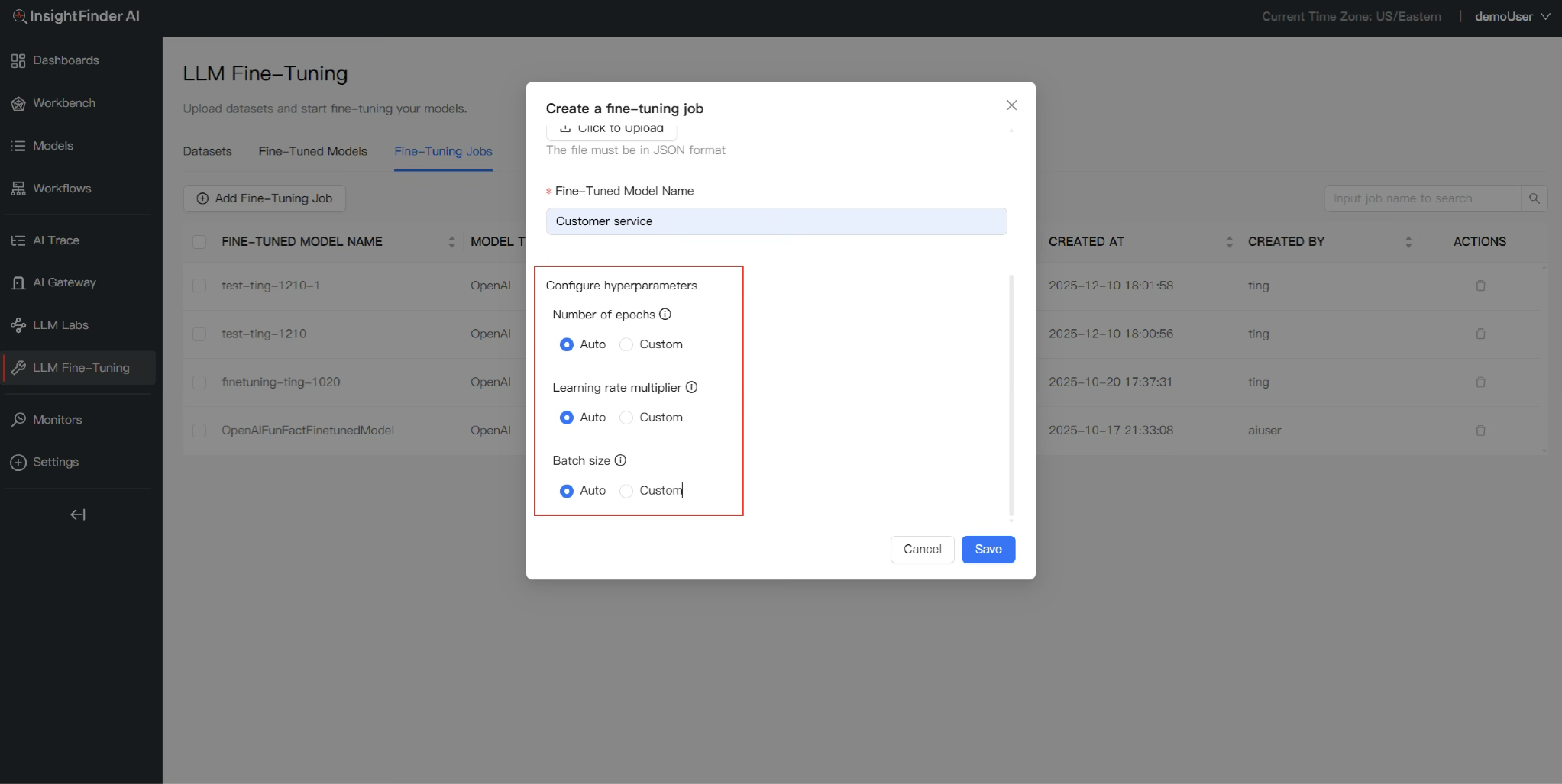
- Auto-configured settings: We automatically set training epochs, learning rate, and adapter size based on your task scale—no technical expertise needed.
- Manual control: Adjust parameters yourself if you prefer custom configurations.
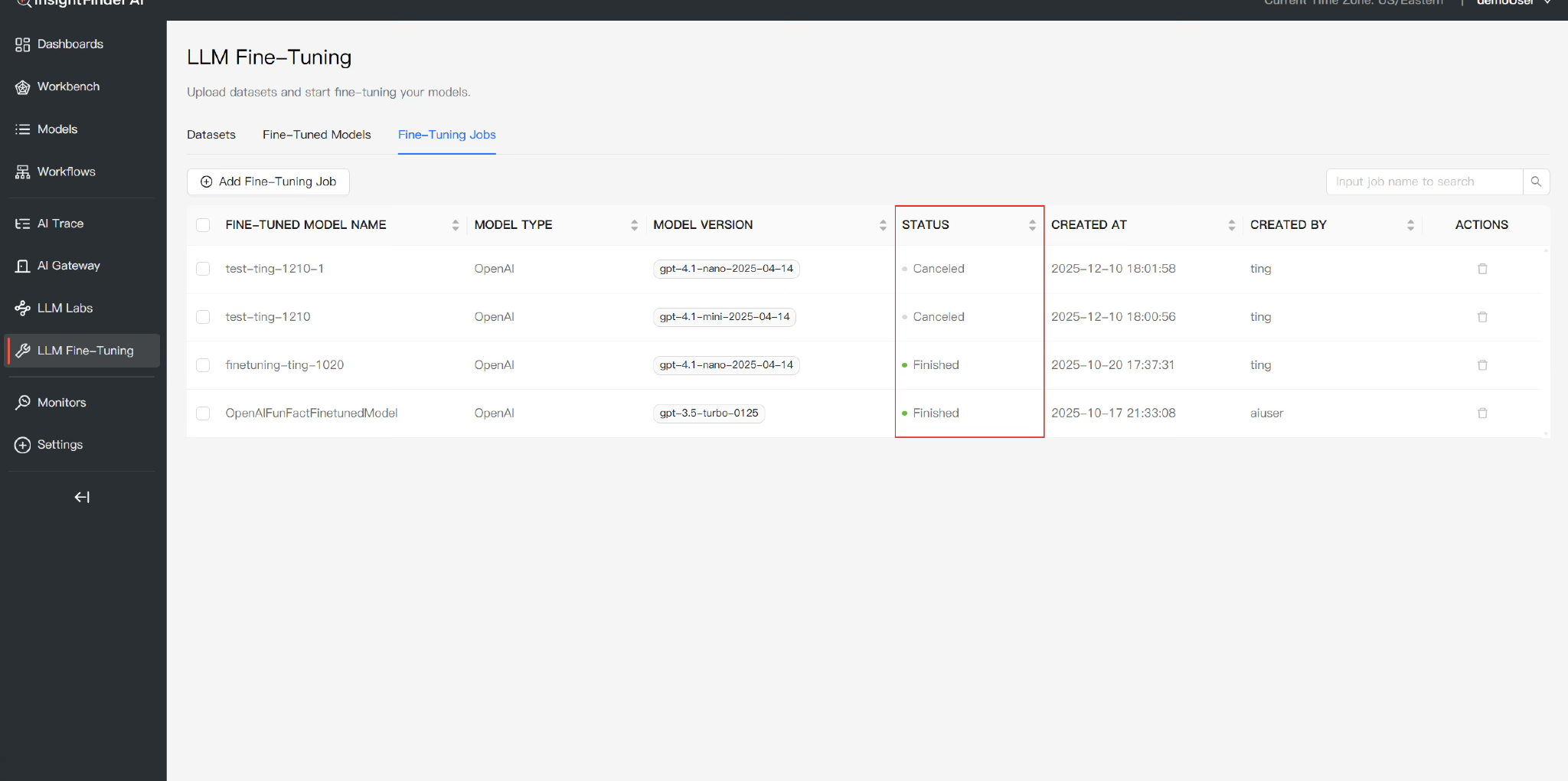
Step 4: Monitor Multiple Tasks in Real Time
- Run multiple fine-tuning jobs at the same time.
- Track progress via a clear dashboard: check task status
Key Benefits
- Save time: Reusable datasets eliminate redundant work.
- Flexible: Support for custom models and both auto/manual parameter settings.
- Transparent: Real-time monitoring keeps you updated on tasks.
- Secure & compliant: Encrypted dataset storage meets global privacy standards.
- Efficient: No complex setup—get customized models quickly.
Get Started Today
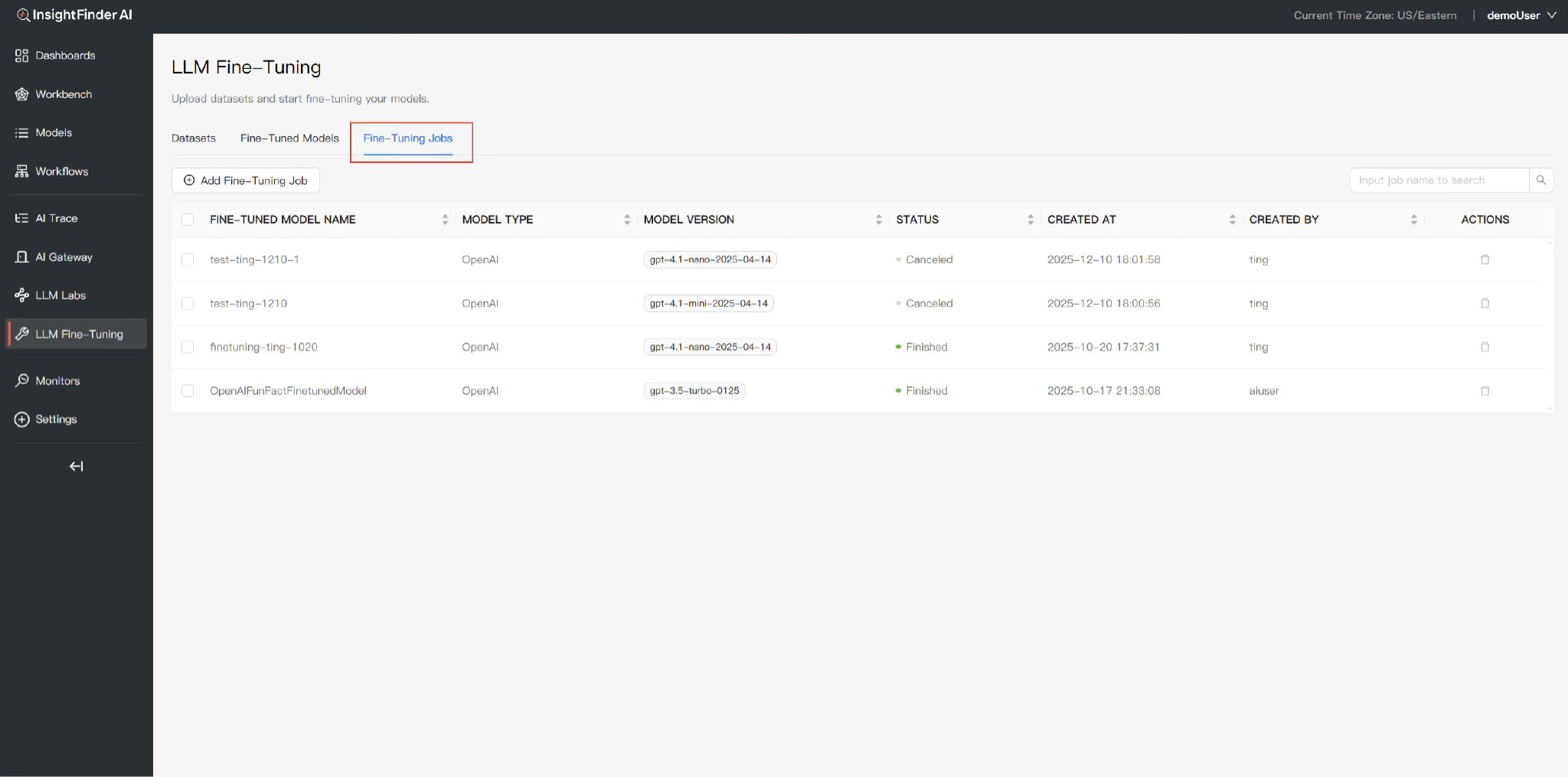
- Log into your Insight Finder workspace and go to the Fine Tuning module.

- Upload your dataset (we’ll clean it automatically and store it securely).

- Select a model and choose auto or manual parameter settings.

- Launch your job and track progress.
- Get the fine-tuned model.
Insight Finder makes LLM fine-tuning simple—turn generic models into task-specific tools without the hassle.
From the Blog

 Blogs
Blogs 

Explore InsightFinder AI
Take InsightFinder AI for a no-obligation test drive. We’ll provide you with a detailed report on your outages to uncover what could have been prevented.
